VerseIsland
Feed Learn Leaderboard Guides Reference Explore Search Docs Verse Library
Sign in
Feed Learn 📖 Codex Leaderboard Guides Reference Explore Search Docs Verse Library
Fortnite › Publishing · Up to Fortnite · Publishing · 12 of 18 in Publishing
Browse Fortnite

Publishing Islands in Fortnite Creative

Whether you’re publishing from Fortnite Creative or from Unreal Editor for Fortnite (UEFN), the Creative Portal is where you go to publish your islands. The portal provides everything you’ll need to prepare and submit your island.

The Publishing Workflow

When you're ready to reveal your island to the world, start the publishing process from Fortnite Creative or UEFN.

Initiating the Publishing Process

From Fortnite Creative begin by:

  • Clicking Publish Island in the Overview category of the Fortnite Creative Island Settings.

From UEFN begin by:

  • Clicking the Project dropdown in the toolbar, then select Publish Project. This creates a new private version code.

Publishing in Creator Portal

Once you’re in the Creator Portal, you’re ready to create a new release and submit it for moderation.  To create a new release from your private version, follow the instructions below:

  1. In the left navigation panel, click Projects to open the Projects page.
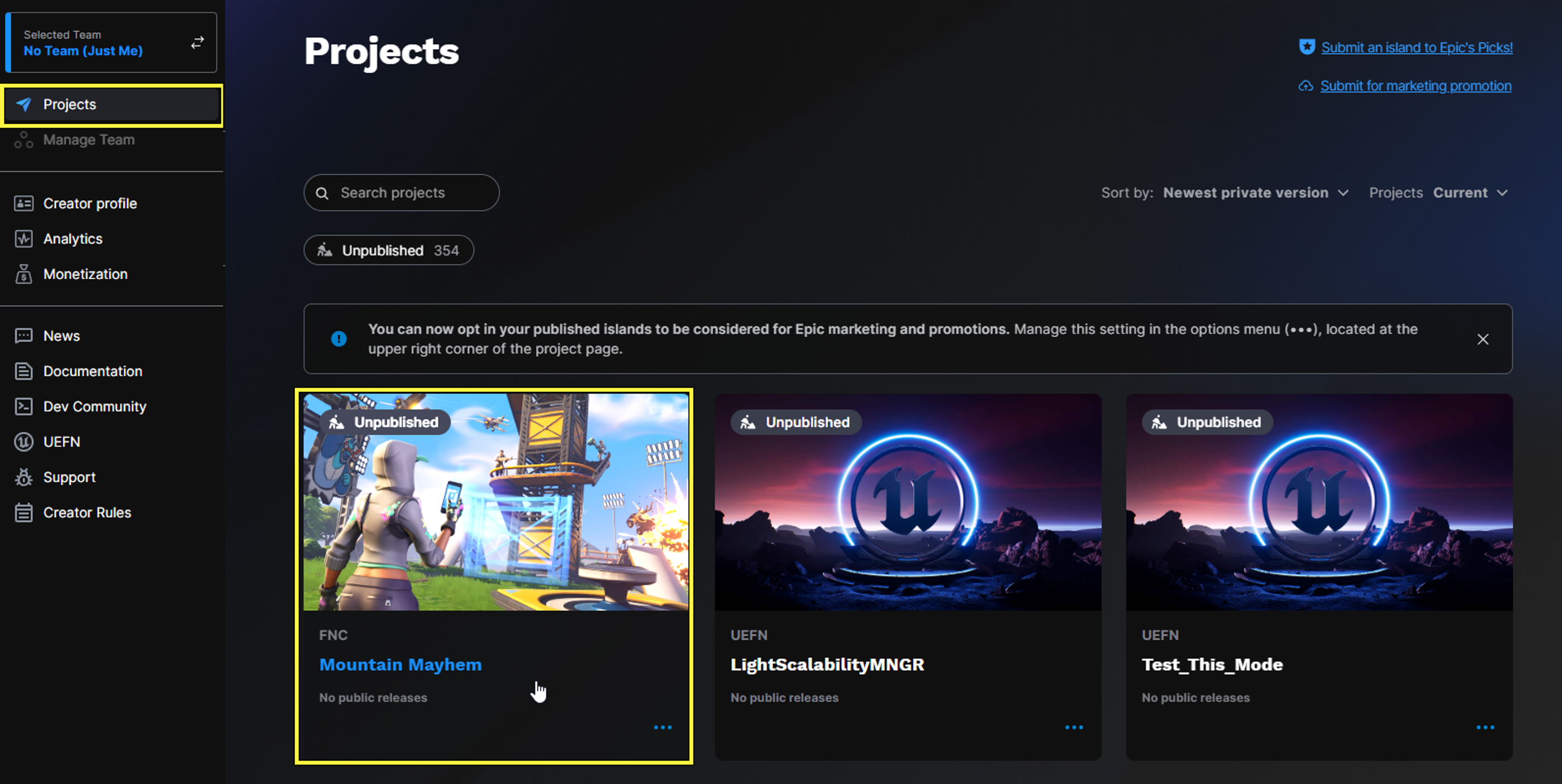
  2. Click on a project tile to open the island's Publishing page.

You're reading a preview

The full reference is free for BrainDeadGuild Discord members — sign in to read it all, or open the original at the source.

Sign in with Discord — free for members Read the original at Epic Games

Sign in with your BrainDead.TV / BrainDeadGuild Discord account for full access.

Comments

    Sign in to vote, comment, or suggest an edit. Sign in
    📄
    Source
    Epic Games

    © Epic Games. Official Epic developer documentation, shown here as a reference with a link to the original. All rights remain with Epic Games. Terms ↗

    View original Sources & licensing
    Request removal
    Last updated Feb 10, 2026
    Keep exploring
    More in Publishing · 12 of 18
    Prev
    playtesting your island unreal editor for fortnite
    Next
    publishing page features in fortnite creative
    Browse all files in this folder (A–Z)
    Next up
    • Once you’re in the [Creator Portal
    • the Creator Portal, click **Next** to continue on to the **Promotional Media** tab.
    • Description: Upload the promotional material for your island.
    • Publishing from the Creator Portal
    • Schedule Publishing
    • Unpublishing Islands
    Related topics
    • Publishing Islands In Fortnite Creative Publishing
    • Publishing From The Creator Portal In Fortnite Creative Creator Economy
    • Creator Portal Overview In Fortnite Creative Creator Economy
    • Making Thumbnails And Videos In Fortnite Creative General
    • Guide To Uefn Controls For Creative Users In Unreal Editor For Fortnite Input & Controls

    Related

    Open in graph →

    Related topics

    • Publishing Islands In Fortnite Creative
    • Publishing From The Creator Portal In Fortnite Creative
    • Publishing From The Creator Portal In Fortnite Creative
    • Creator Portal Overview In Fortnite Creative
    • Making Thumbnails And Videos In Fortnite Creative
    VerseIsland · an archipelago of Verse & UEFN knowledge
    🗺️ Island atlas Learn Guides History About & Press Sources & Licensing Status

    Not affiliated with Epic Games. Fortnite, UEFN, Unreal Engine, and Verse are trademarks of Epic Games, Inc. Content is attributed to its source — see Sources & Licensing.

    🦜

    Scout · your island guide

    The Isle of Verse