
Schedule Publishing in Fortnite
Creator Portal has the tools you need to schedule the publish date for your islands. Choose the day and exact time your island goes live to align with marketing campaigns or global audiences. Manage the scheduling for a brand new, existing, or older release of your islands.
In Creator Portal, scheduling your releases means you can:
- Schedule a brand new island to go live at a set time in the future within 1-90 days.
- Schedule the publish date of a previously approved, unpublished release.
- Manage releases to go live on your own time.
Just set a date and your island publishes automatically. Scheduling is built into the established publishing workflow to afford you greater control over publishing your island even before it goes through the review process.
Scheduling a Publish
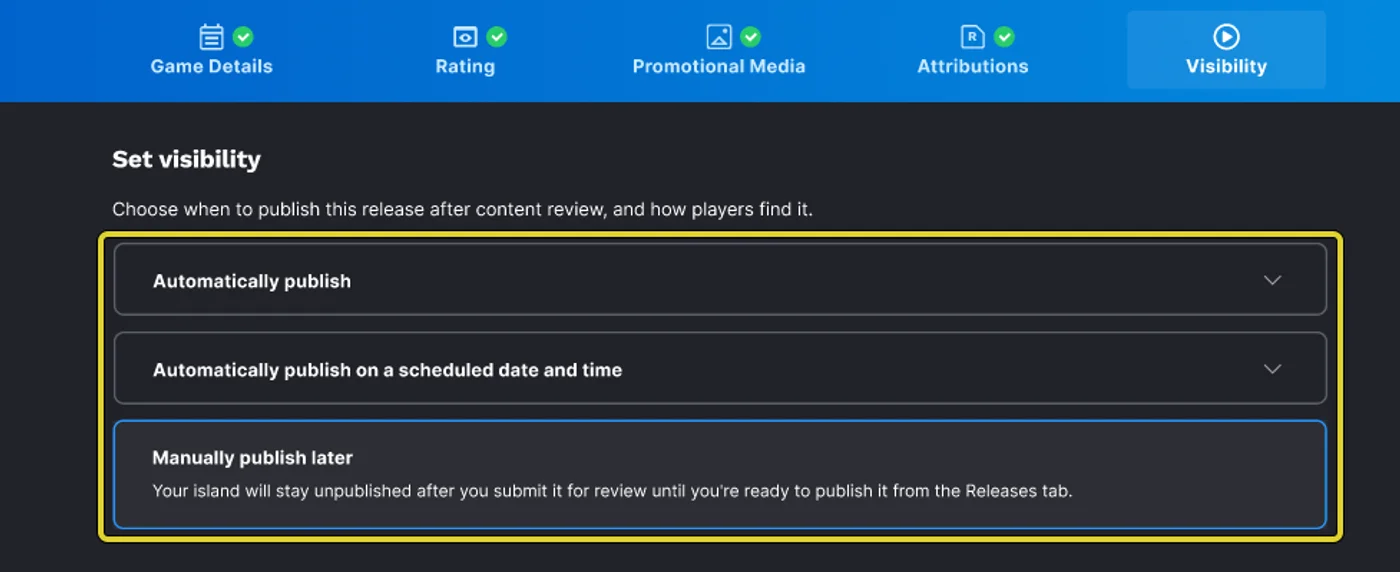
When you reach the Visibility portion of the publishing workflow, you have three options:
- Automatically Publish
- Automatically Publish on a Scheduled Date and Time
- Manually Publish Later
You're reading a preview
The full reference is free for BrainDeadGuild Discord members — sign in to read it all, or open the original at the source.
Sign in with your BrainDead.TV / BrainDeadGuild Discord account for full access.