
Round Settings in Fortnite Creative
Games are divided into rounds. A round is a single play in a game to a specific end result, and a game can have only one round or many rounds. A round can be based on a time limit, an accumulation of points, or the accomplishment of some other objective.
Games can be won based on individual rounds won. Gameplay can change between rounds. This would include changes like team assignments, weapons, and so on.
The Round category is where you define such settings as end conditions and victory conditions for each round, and what happens when a round is complete. Each of these can also be defined for the overall game on Mode Settings. There are multiple round categories that you can modify to change gameplay, and many of these have multiple settings.
From the Island Settings tab, click the Round category, then click a subcategory to expand the settings.
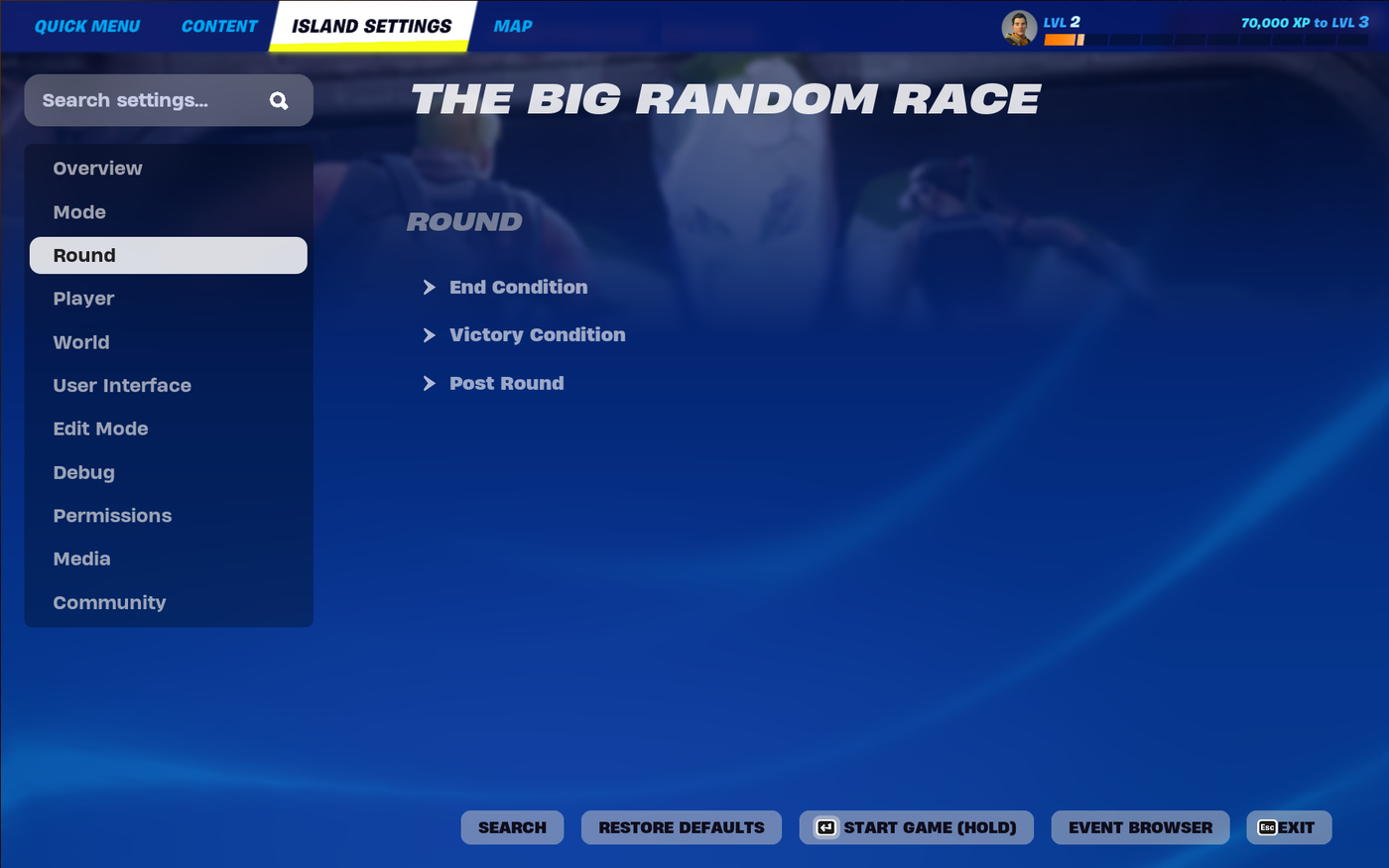
If you know the name of a setting you want to change, use the search box to find it.
Any changes you make to these settings are automatically saved. You can restore the settings to their original values at any time by clicking the Restore Defaults button. This will reset only the settings for your current category.
You're reading a preview
The full reference is free for BrainDeadGuild Discord members — sign in to read it all, or open the original at the source.
Sign in with your BrainDead.TV / BrainDeadGuild Discord account for full access.