
User Interface Devices in UEFN
There are a few devices that support using widgets to display a custom UI. The devices featured in the template display UIs in different and specific ways. Each room in the template has information about the devices featured there and how they display a custom UI.
Playtest the template to view the UI samples.
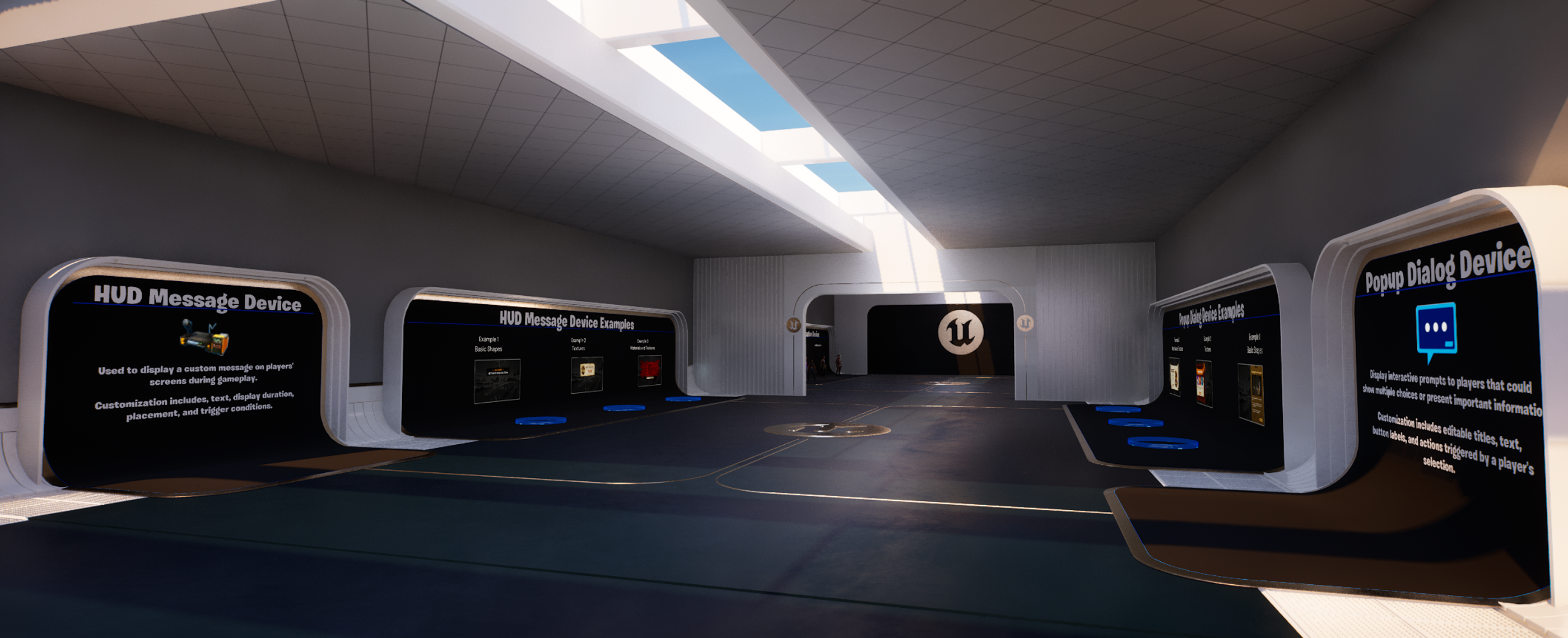
Room 1 focuses on the HUD Message device and the Pop-Up Dialog device.
Below is a table outlining the devices displayed in the template, links to their device pages, and the room numbers where a device can be found:
| Device | Room Number | Device Image |
|---|---|---|
| HUD Message Device | 1 | HUD Message device HUD Message device |
| Pop-Up Dialog Device | 1 | Pop-Up Dialog device Pop-Up Dialog device |
| HUD Controller Device | 2 | HUD Controller device HUD Controller device |
| HUD Controller Device (Quickbar) | 2 | Quickbar description in the UI template. |
| Stat Creator Device | 3 | Stat Creator device Stat Creator device |
| Skilled Interaction Device | 3 | Skilled Interaction device Skilled Interaction device |
| Timer Device | 3 | Timer device |
| Conversation Device | 4 |
You're reading a preview
The full reference is free for BrainDeadGuild Discord members — sign in to read it all, or open the original at the source.
Sign in with your BrainDead.TV / BrainDeadGuild Discord account for full access.