
Using Trap Items
Trap items can be placed to aid in combat gameplay where players must build. Some of these have positive effects, some have negative effects.
Trap items include:
- Armored Wall
- Bouncer (Trap version)
- Chiller
- Cozy Campfire
- Damage Trap
- Full Damage Rail
- Half Damage Rail
- Ice Block
- Launch Pad
- Mounted Turret (Trap version)
- Poison Dart Trap
- Speed Boost
Finding and Placing Trap Items
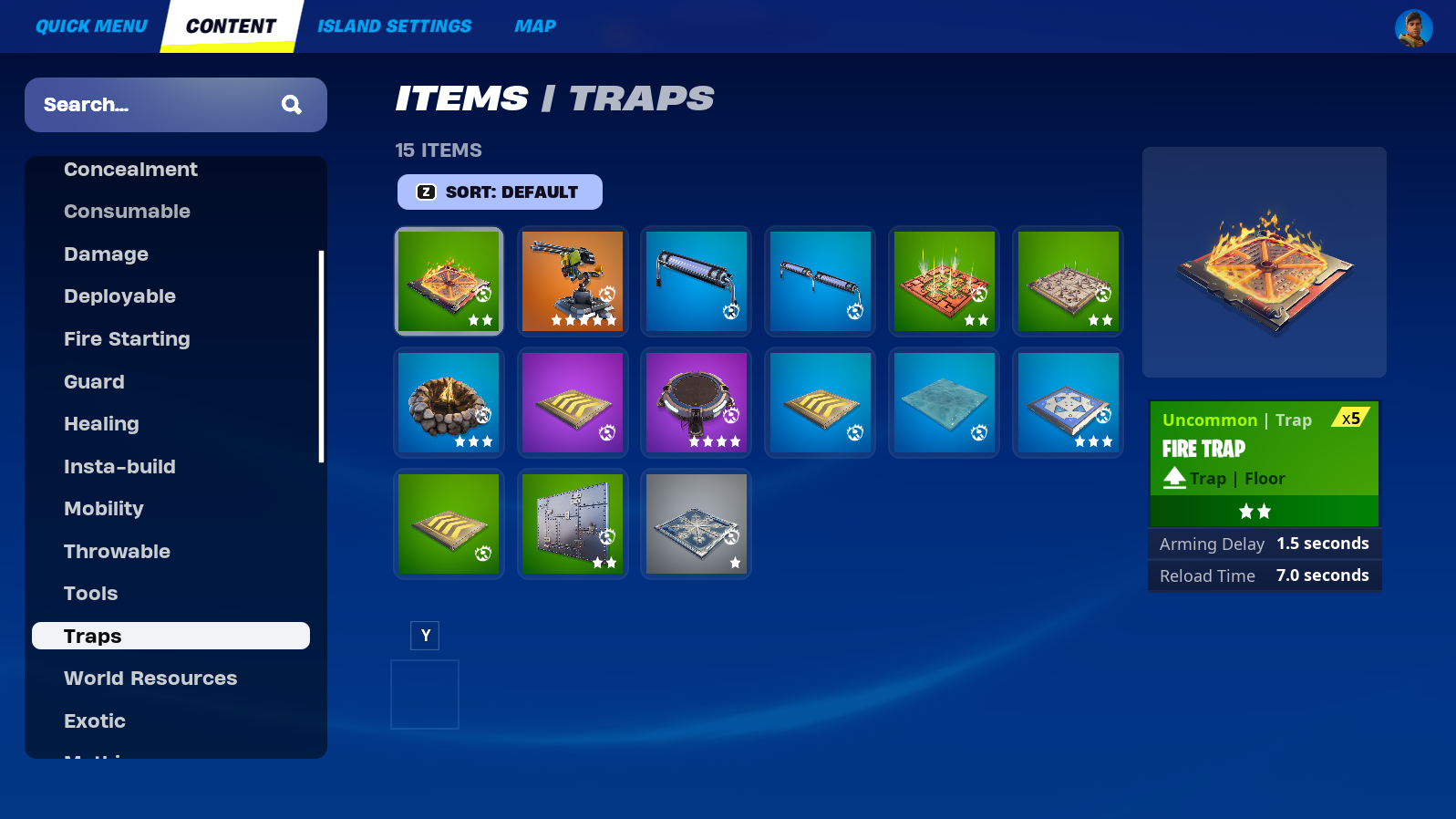
Click the image to enlarge.
- From Create mode, press the Tab key, then click Content on the top navigation bar to open the Creative inventory screen.
- Click the Items category.
- Scroll down to find and select the Traps subcategory. You can also use the Search box to look up a trap by name.
- Click the trap you want, then click either Equip or Add To Chest.
You're reading a preview
The full reference is free for BrainDeadGuild Discord members — sign in to read it all, or open the original at the source.
Sign in with your BrainDead.TV / BrainDeadGuild Discord account for full access.