
Day Sequence Template South Biome
3. South Biome
South - Jungle/Swamp
South - Jungle/Swamp
Remember that the Day Sequence device at the center of the island establishes the neutral look for the entire island. To create a biome that is different from the neutral island center, another Day Sequence device was added to the Southern quadrant.
Travel to the Jungle biome by pressing the 4 key.
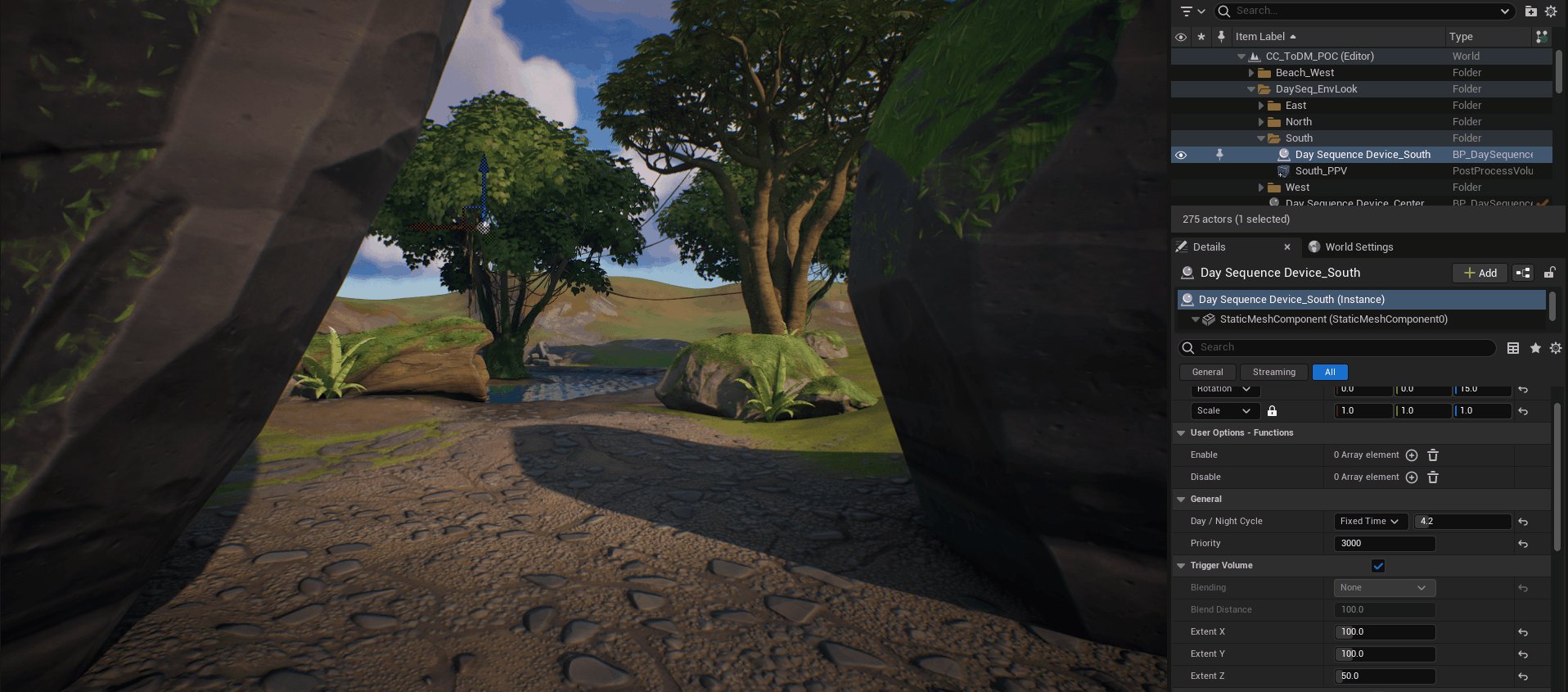
Trigger Volume Area transition point.
To begin creating the look of the Southern quadrant, think about the major differences between the looks you want to achieve.
For example, in the Jungle biome, you have to think about the lighting and environmental changes that will make this quadrant feel like a jungle, aside from the large trees, vegetation, and mossy rocks used as set dressing to build the terrain.
Jungle Secondary Day Sequence Device
To create the jungle environment, you’ll need to simulate humidity, with around 80% cloud coverage, and rays of light coming through the tree canopies, creating lots of light and shadow in the scene.
You're reading a preview
The full reference is free for BrainDeadGuild Discord members — sign in to read it all, or open the original at the source.
Sign in with your BrainDead.TV / BrainDeadGuild Discord account for full access.