
Post Process Volumes
5. Post-Process Volumes
Post Process Volumes
Post Process Volumes
After going through each biome and seeing how the Day Sequence device settings are adjusted to create the distinct look and feel for each quadrant, you should be able to create your own unique environments with a few minor adjustments.
Each biome has an extra Post Process Volume in its folder next to the corresponding Day Sequence device. These post effects have been added to each quadrant to show you how to push the lighting of the environment further.
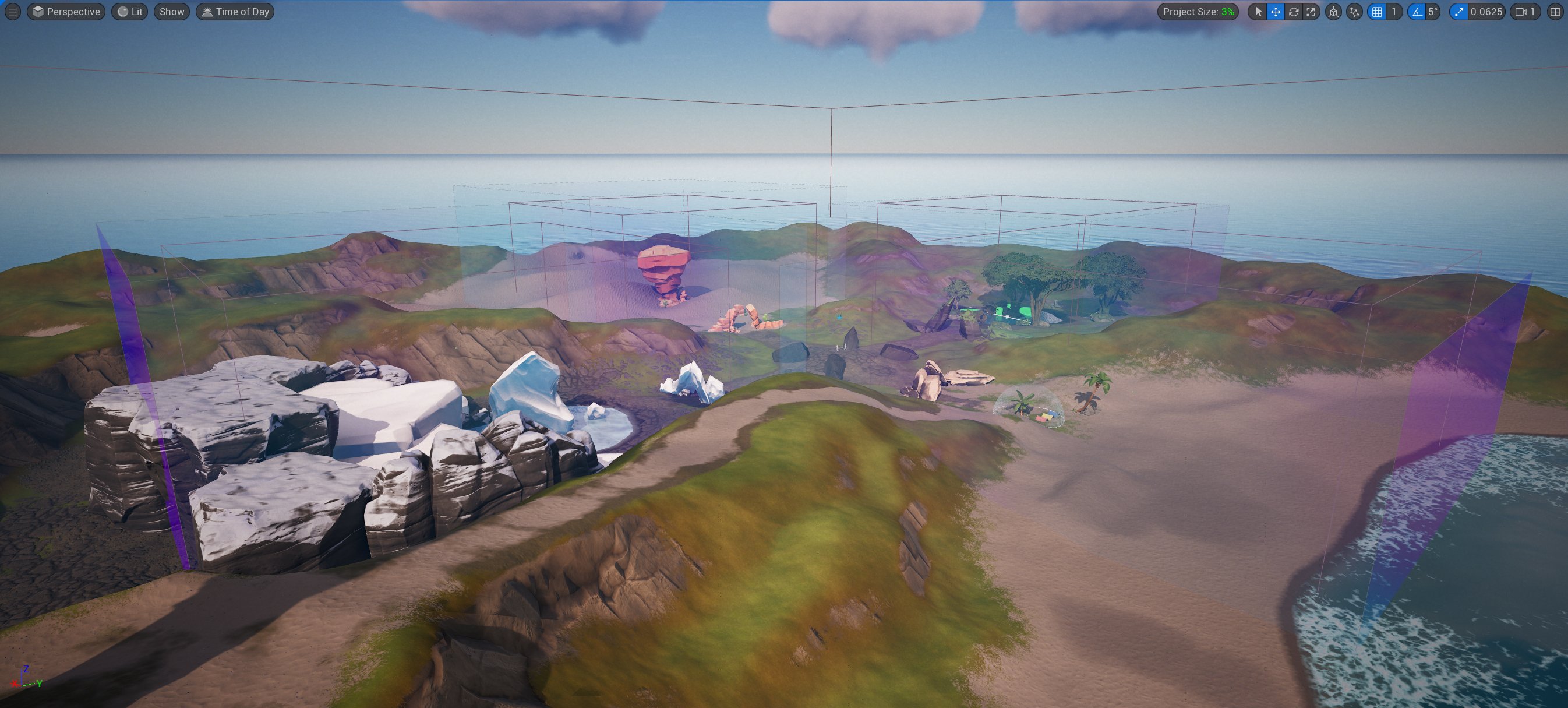
Remember, while this will help you push the look further, if you are developing for several platforms, this will have an impact on the number of variables you have to keep track of for consistent looks throughout the gamut of low-end and high-end devices, as not all devices support all features and post effects.
Search and select the West_PPV actor inside the West folder from the Outliner. Ensure the Details panel setting Show Only Modified Properties is toggled on. From the Outliner, hide and unhide the PPV actor so you can see the effect the volume has on each quadrant.
You're reading a preview
The full reference is free for BrainDeadGuild Discord members — sign in to read it all, or open the original at the source.
Sign in with your BrainDead.TV / BrainDeadGuild Discord account for full access.