
Configuring Audio and Visual Effects
5. Set Up Audio and Visual Effects
This section will show you how to set up audio, like barks, and visual effects, like camera shakes, to create engaging gameplay.
This section will show you how to set up audio, like barks, and visual effects, like camera shakes, to create engaging gameplay.
Audio Player Device
You can use the Audio Player device to set use dialog lines from guards. In game development, these are often referred to as barks.

You can find imported audio in "Project folder" > Barks. Click the Play icon to hear the audio file, then drag and drop it onto your island.
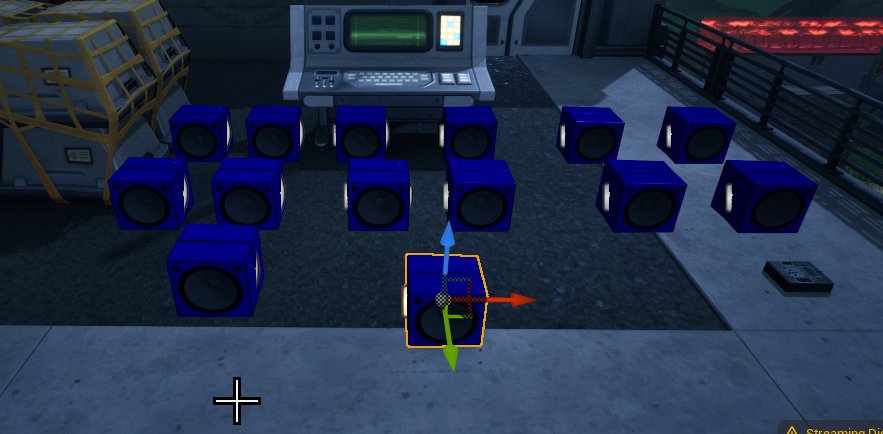
Dropping an audio file onto your island will place an Audio Player device, which is hooked up to a Verse device to play a series of customs guard callouts. These callouts react to different events, like spotting the player or taking damage.
Place one Audio Player for every unique piece of audio that you want to play. This tutorial uses 14 different barks, with 14 different Audio Player devices placed.
You're reading a preview
The full reference is free for BrainDeadGuild Discord members — sign in to read it all, or open the original at the source.
Sign in with your BrainDead.TV / BrainDeadGuild Discord account for full access.