VerseIsland
Feed Learn Leaderboard Guides Reference Explore Search Docs Verse Library
Sign in
Feed Learn 📖 Codex Leaderboard Guides Reference Explore Search Docs Verse Library
Fortnite › Devices · Up to Fortnite · Devices · 49 of 1369 in Devices
Browse Fortnite

Skilled Interaction Device Design Examples

This interactive device is perfect for creating fun mini-games where players can practice various in-game skills.

Starting a Fire

Use the Skilled Interaction device to quickly make a more engaging interaction for basic gameplay moments like lighting a campfire!

Devices Used

  • 1 x Skilled Interaction device
  • 1 x Player Spawner device
  • 1 x Campfire device

Set Up the Devices

  1. Place a Player Spawner device.

  2. Place a Campfire device.

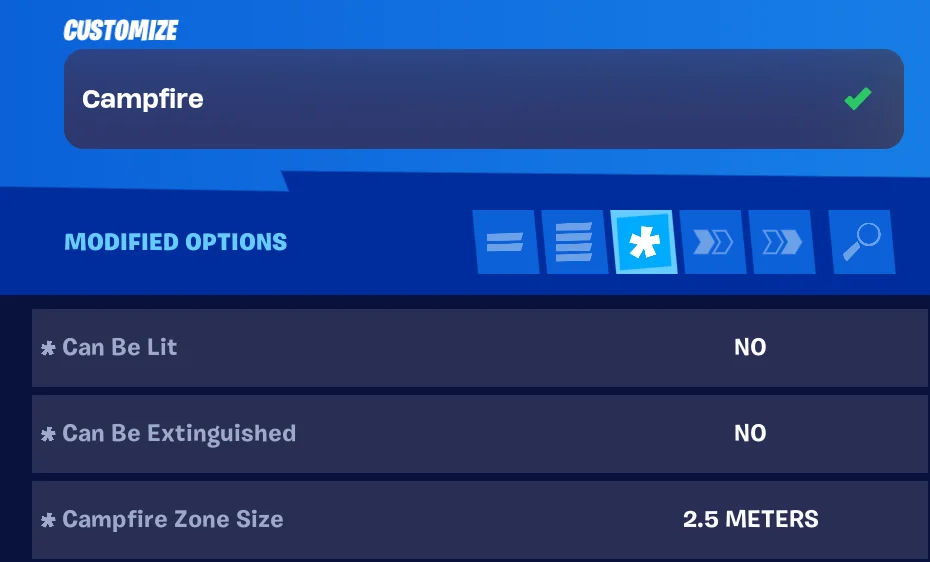
  3. Customize the Campfire device:

    Option Value
    Can Be Lit No
    Can Be Extinguished No
    Campfire Zone Size 2.5 Meters
  4. Place a Skilled Interaction device.

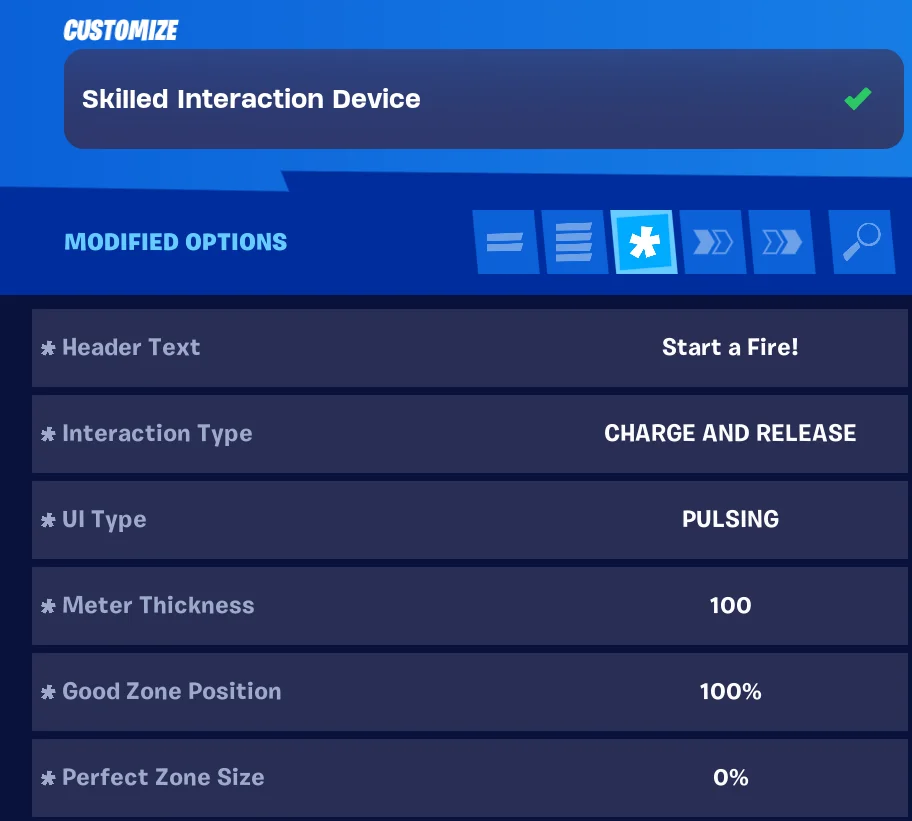
  5. Customize the device:

    Option Value
    Interaction Type Charge and Release
    UI Type Pulsing
    Meter Thickness 100
    Good Zone Position 100%
    Perfect Zone Size 0%
    Scrubber Color White

You're reading a preview

The full reference is free for BrainDeadGuild Discord members — sign in to read it all, or open the original at the source.

Sign in with Discord — free for members Read the original at Epic Games

Sign in with your BrainDead.TV / BrainDeadGuild Discord account for full access.

Comments

    Sign in to vote, comment, or suggest an edit. Sign in
    📄
    Source
    Epic Games

    © Epic Games. Official Epic developer documentation, shown here as a reference with a link to the original. All rights remain with Epic Games. Terms ↗

    View original Sources & licensing
    Request removal
    Last updated Mar 15, 2026
    Keep exploring
    More in Devices · 49 of 1369
    Prev
    rename a device
    Next
    squid game giftbox device for hiding and teleportation in unreal editor for fortnite
    Browse all files in this folder (A–Z)
    Next up
    • [Direct event binding
    • ### Devices Used
    • ### Devices Used
    • ### Devices Used
    • ### Devices Used
    • ### Devices Used
    Related topics
    • Using Skilled Interaction Devices In Fortnite Creative Devices
    • Using Skilled Interaction Devices In Fortnite Creative Devices
    • 34 10 Fortnite Ecosystem Updates And Release Notes Release Notes
    • Creating Custom Skilled Interactions In Unreal Editor For Fortnite General
    • Device Design Examples In Fortnite Creative Devices

    Related

    Open in graph →

    Related topics

    • Using Skilled Interaction Devices In Fortnite Creative
    • Using Skilled Interaction Devices In Fortnite Creative
    • 34 10 Fortnite Ecosystem Updates And Release Notes
    • Creating Custom Skilled Interactions In Unreal Editor For Fortnite
    • Device Design Examples In Fortnite Creative
    VerseIsland · an archipelago of Verse & UEFN knowledge
    🗺️ Island atlas Learn Guides History About & Press Sources & Licensing Status

    Not affiliated with Epic Games. Fortnite, UEFN, Unreal Engine, and Verse are trademarks of Epic Games, Inc. Content is attributed to its source — see Sources & Licensing.

    🦜

    Scout · your island guide

    The Isle of Verse