
Squid Game Custom UI Setup
You can set the tone of your Squid Game islands with branded user interface (UI). Both the Minigame Mastery and Social Deduction templates feature the custom UI.
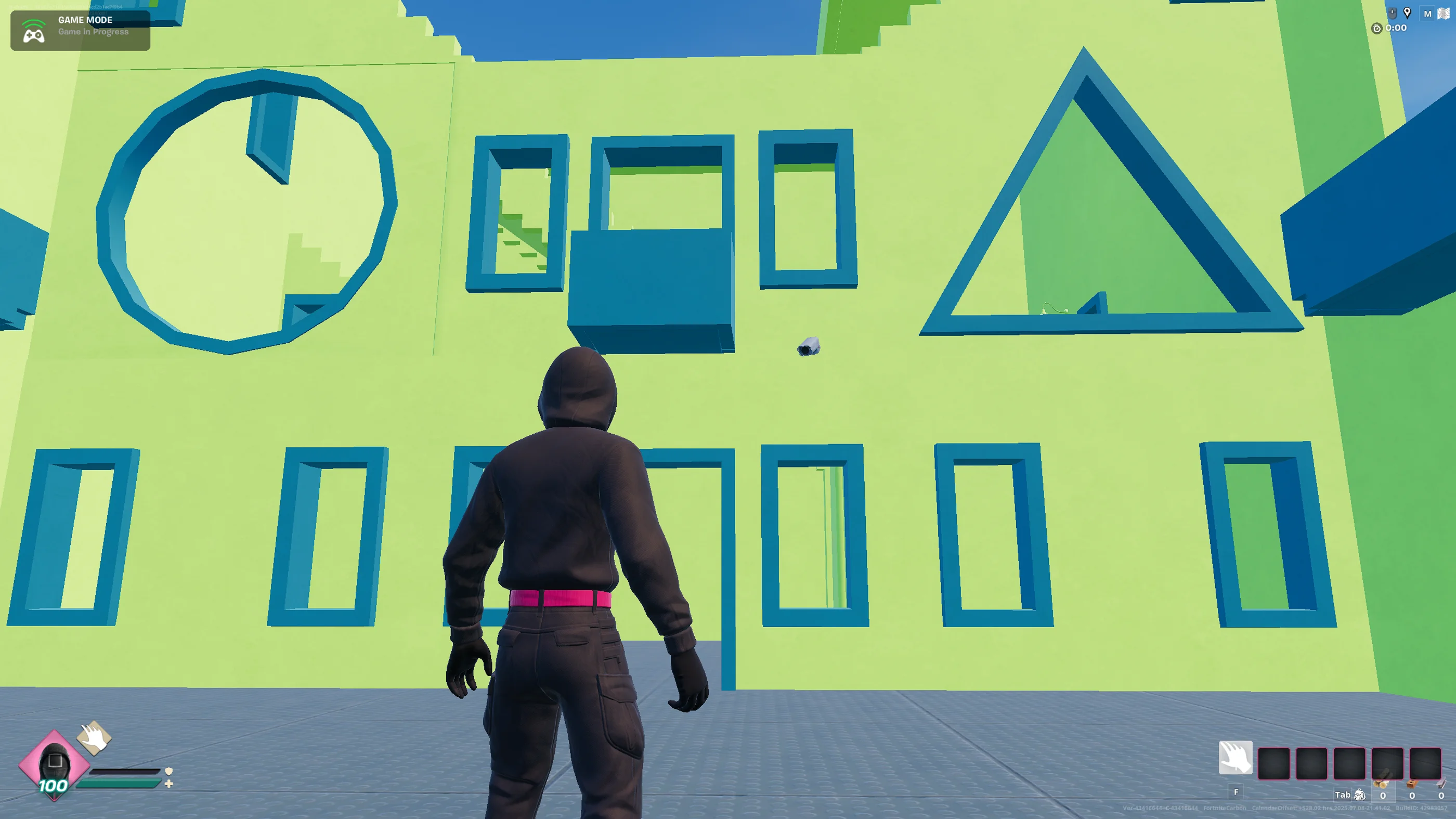
Squid Game HUD
Access UI Assets
The UI assets are available in UEFN from the Content Drawer > All > Squid Game > UI folder.
The UI folder contains material instances, textures, and general materials that form to create elements in the Unreal Motion Graphics (UMG) user widgets.
You can not copy the files in the UI folder to your project folder. You must reference the files for use.
The table below describes the available UMG widgets in the Widgets folder.
| Widget | Description |
|---|---|
| UW HUD EquippedInfoBlock | Element for your selected item. Includes ammo when applicable. |
| UW HUD PlayersInfoStack | Combines the player and their teammates' information. It references the following widgets: * UW HUD PlayerInfoBlock: Element design that shows the player's health and shield. * UW HUD TeammateInfo: Element design that shows the health and shield for the player's teammates. |
| UW HUD QuickbarSlot | Element design for your inventory UI. |
You're reading a preview
The full reference is free for BrainDeadGuild Discord members — sign in to read it all, or open the original at the source.
Sign in with your BrainDead.TV / BrainDeadGuild Discord account for full access.