VerseIsland
Feed Learn Leaderboard Guides Reference Explore Search Docs Verse Library
Sign in
Feed Learn 📖 Codex Leaderboard Guides Reference Explore Search Docs Verse Library
Fortnite › Player · Up to Fortnite · Player · 23 of 142 in Player
Browse Fortnite

Adding A Shove Item For Pushing Players

Watch your back as you hop into the Shove room in the Minigame Mastery template. This mini-game focuses on equipping the Shove item to push players off a platform as you make your attempt at pressing the button for the win.
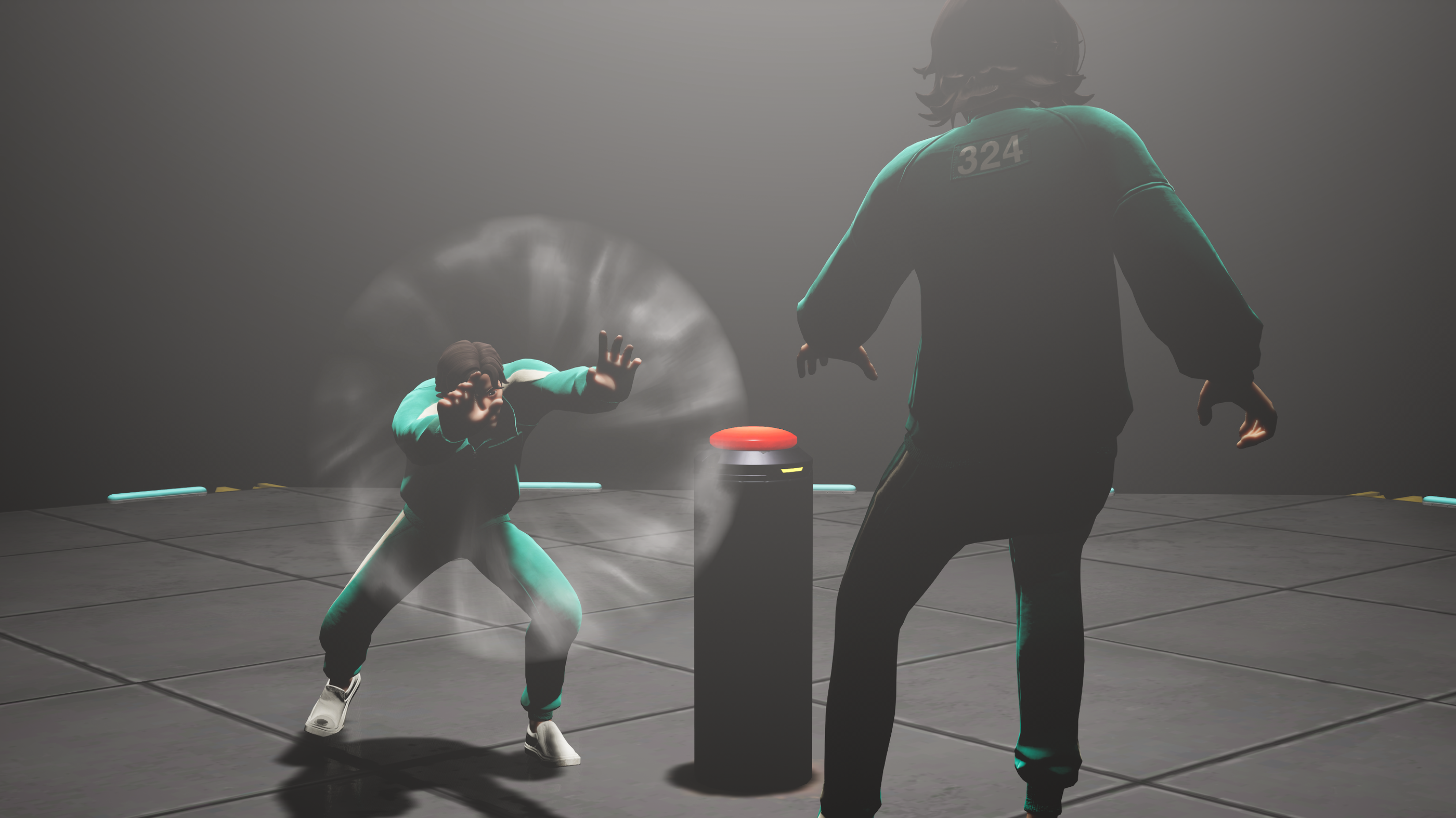
Shove Item for Squid Game Islands in UEFN and Creative

Shove Item

Shove is an inventory item that players can equip to push other players and launch them a short distance. In the template, you can learn the fundamentals of the item, and then test your skills in the arena.

Shove Item

Squid Game features some pivotal moments where contestants take calculated action to remove other players out of their way, often through shoving them. The action highlights moments of tension and betrayal, like pushing someone off a glass bridge or narrow ledge to save yourself or to give yourself more chance of succeeding. The Shove item brings this functionality to your island.

You're reading a preview

The full reference is free for BrainDeadGuild Discord members — sign in to read it all, or open the original at the source.

Sign in with Discord — free for members Read the original at Epic Games

Sign in with your BrainDead.TV / BrainDeadGuild Discord account for full access.

Comments

    Sign in to vote, comment, or suggest an edit. Sign in
    📄
    Source
    Epic Games

    © Epic Games. Official Epic developer documentation, shown here as a reference with a link to the original. All rights remain with Epic Games. Terms ↗

    View original Sources & licensing
    Request removal
    Last updated Feb 11, 2026
    Keep exploring
    More in Player · 23 of 142
    Prev
    squid game multiplayer skill checks in unreal editor for fortnite
    Next
    subclass in verse
    Browse all files in this folder (A–Z)
    Next up
    • Watch your back as you hop into the **Shove** room in the [Minigame Mastery template
    • Fortnite Creative Glossary
    • To assign the item or provide the choice for players to equip it, you can use the following:
    • To assign the item or provide the choice for players to equip it, you can use the following:
    • To assign the item or provide the choice for players to equip it, you can use the following:
    • To assign the item or provide the choice for players to equip it, you can use the following:
    Related topics
    • Shove Gameplay Item In Fortnite Items
    • Squid Game Carry Items Through Obstacles In Unreal Editor For Fortnite Vehicles
    • Squid Game Tracking Game Progression In Unreal Editor For Fortnite Discovery
    • Squid Game Ddakji And Flying Stone Target Practice In Unreal Editor For Fortnite Materials/Vfx
    • 36 00 Fortnite Ecosystem Updates And Release Notes Release Notes

    Related

    Open in graph →

    Linked docs

    • Squid Game Minigame Mastery Template In Unreal Editor For Fortnite
    • Fortnite Creative Glossary

    Related topics

    • Shove Gameplay Item In Fortnite
    • Squid Game Carry Items Through Obstacles In Unreal Editor For Fortnite
    • Squid Game Tracking Game Progression In Unreal Editor For Fortnite
    VerseIsland · an archipelago of Verse & UEFN knowledge
    🗺️ Island atlas Learn Guides History About & Press Sources & Licensing Status

    Not affiliated with Epic Games. Fortnite, UEFN, Unreal Engine, and Verse are trademarks of Epic Games, Inc. Content is attributed to its source — see Sources & Licensing.

    🦜

    Scout · your island guide

    The Isle of Verse