VerseIsland
Feed Learn Leaderboard Guides Reference Explore Search Docs Verse Library
Sign in
Feed Learn 📖 Codex Leaderboard Guides Reference Explore Search Docs Verse Library
Fortnite Creative › Audio · Up to Fortnite Creative · Audio · 3 of 4 in Audio
Browse Fortnite Creative

Getting Started with Patchwork

Welcome to Fortnite Patchwork! The devices you are about to explore let you create and manipulate music intuitively. Get ready to unleash your inner maestro and take your creativity to new heights!

The best way to learn Patchwork is to get hands-on with it. Make sure you have Fortnite running and the Patchwork Music Gallery Island (5806-7083-7937) loaded up.
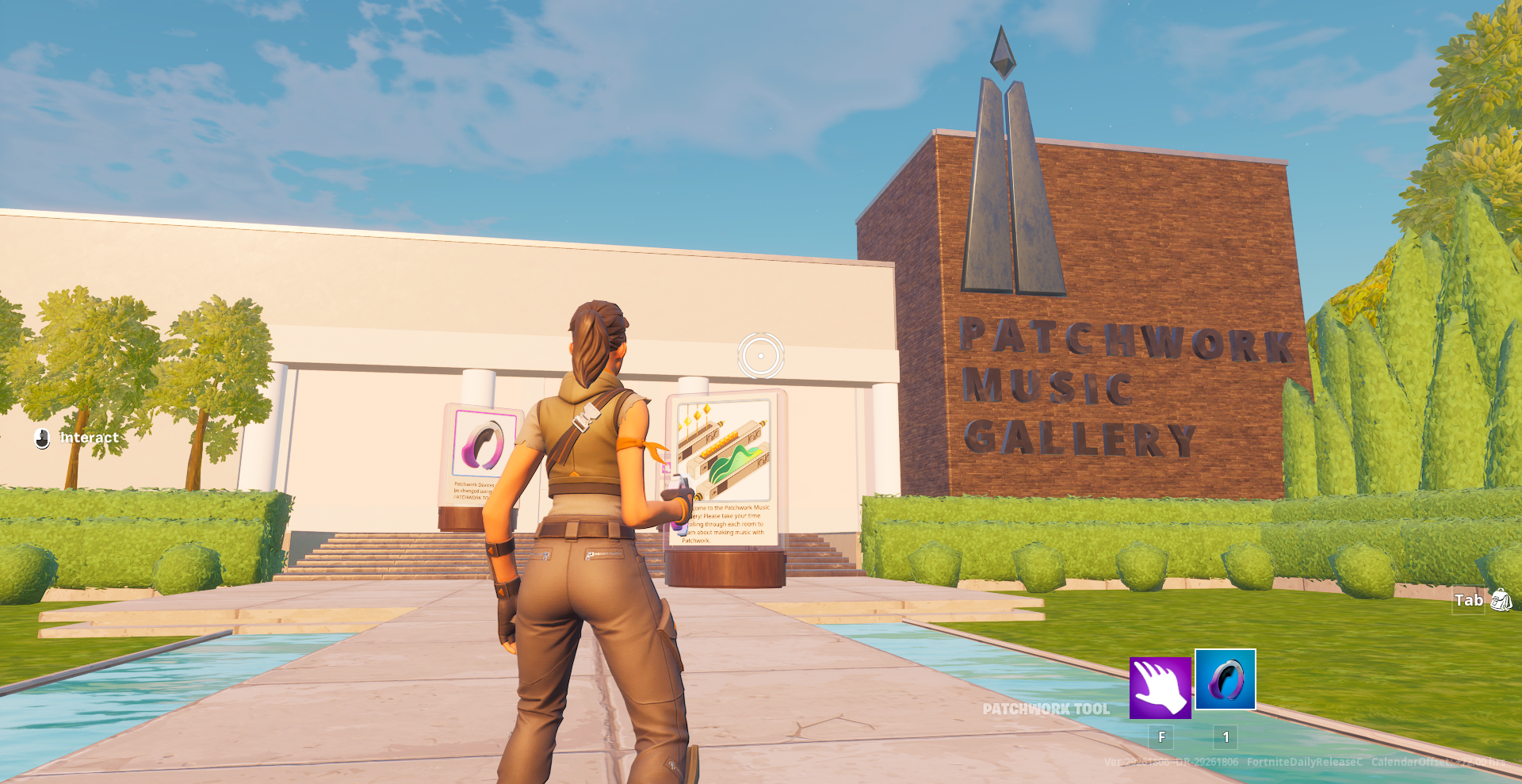
Welcome to Gallery

Let's get started!

For a deeper dive on each device, see Using Patchwork Devices.

Basic Controls

Have a look around the Patchwork Music Gallery island courtyard, then make your way into the building. Ensure that the Patchwork tool is equipped. This is the controller that you will use to interact with Patchwork devices in real time.

Patchwork Tool

In Create mode, you'll find the Patchwork tool under the Weapons tab in Creative inventory, and it will appear in a weapon slot at the bottom right when equipped.

You're reading a preview

The full reference is free for BrainDeadGuild Discord members — sign in to read it all, or open the original at the source.

Sign in with Discord — free for members Read the original at Epic Games

Sign in with your BrainDead.TV / BrainDeadGuild Discord account for full access.

Comments

    Sign in to vote, comment, or suggest an edit. Sign in
    📄
    Source
    Epic Games

    © Epic Games. Official Epic developer documentation, shown here as a reference with a link to the original. All rights remain with Epic Games. Terms ↗

    View original Sources & licensing
    Request removal
    Last updated Dec 7, 2024
    Keep exploring
    More in Audio · 3 of 4
    Prev
    create a music experience in fortnite creative
    Next
    lesson plan making music in fortnite creative
    Browse all files in this folder (A–Z)
    Next up
    • Welcome to Gallery
    • Basic Controls
    • Tooltip displayed
    • As you enter the first room, you'll see a [Speaker
    • Now move on to the Sequencer room! With a [Note Sequencer
    • As you move into the next room, try using the controls on the [Omega Synthesizer
    Related topics
    • Getting Started With Patchwork In Fortnite Creative Audio
    • Using Patchwork Devices In Fortnite Creative Devices
    • Build Your Own Lego Music Concert In Fortnite Creative Building & Props
    • Fortnite Creative General
    • Starting Out In Fortnite Creative General

    Related

    Open in graph →

    Related topics

    • Getting Started With Patchwork In Fortnite Creative
    • Using Patchwork Devices In Fortnite Creative
    • Build Your Own Lego Music Concert In Fortnite Creative
    • Fortnite Creative
    • Starting Out In Fortnite Creative
    VerseIsland · an archipelago of Verse & UEFN knowledge
    🗺️ Island atlas Learn Guides History About & Press Sources & Licensing Status

    Not affiliated with Epic Games. Fortnite, UEFN, Unreal Engine, and Verse are trademarks of Epic Games, Inc. Content is attributed to its source — see Sources & Licensing.

    🦜

    Scout · your island guide

    The Isle of Verse