
Editing Components in UEFN
Components in Unreal Editor for Fortnite (UEFN) are properties of an asset that determine how the asset looks and performs in-game. These editable component properties are part of all assets, including devices, props, and gallery items–if it’s in the Content Browser, you can edit the asset’s component properties. The same goes for assets you import or create.
Editing Components
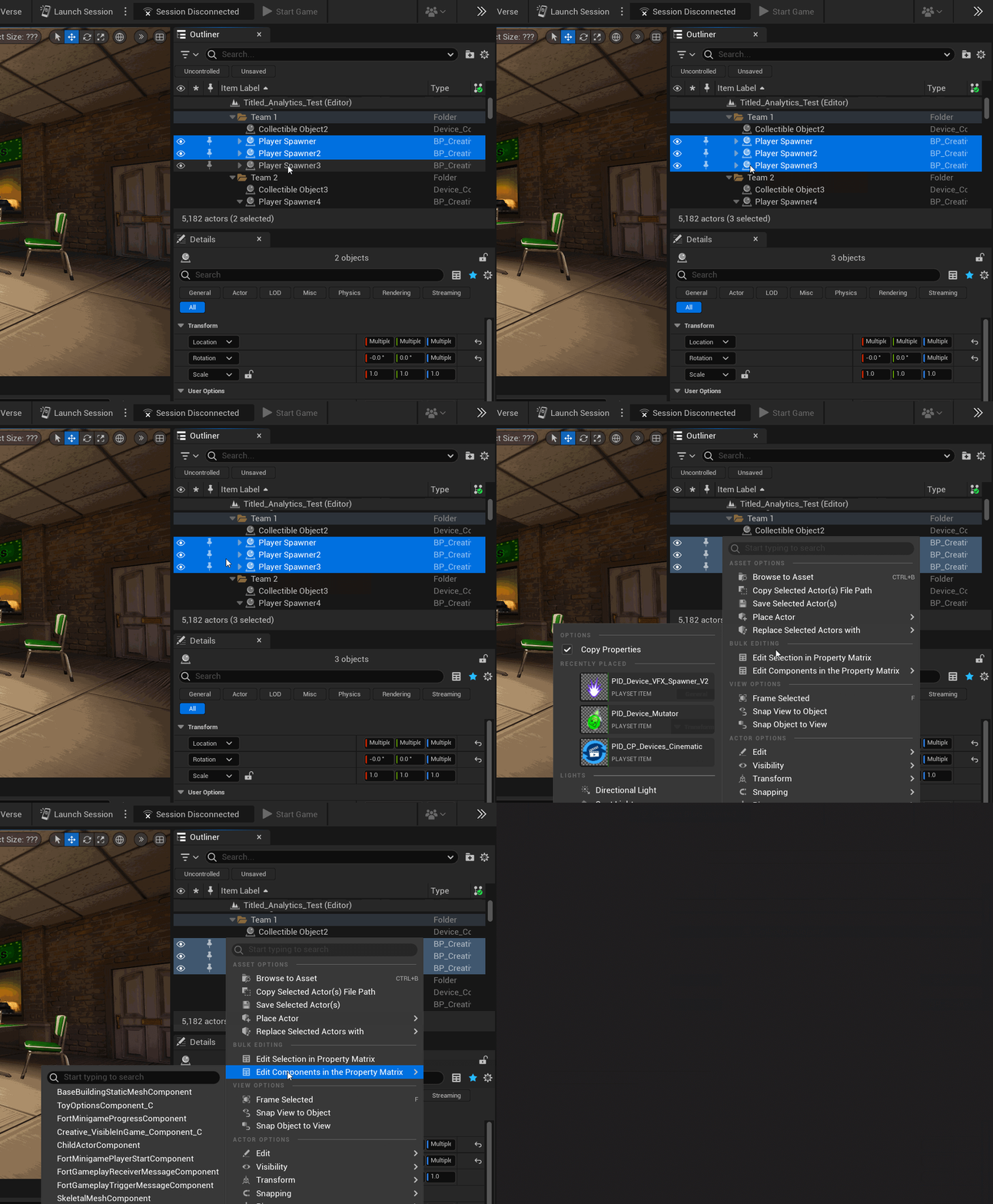
Components can be edited one at a time, or in bulk if there are common properties that need editing across multiple assets. To edit components, highlight more than one asset in the Outliner and use the right-click menu to choose between Edit Selection in Property Matrix and Edit Components in the Property Matrix.
You're reading a preview
The full reference is free for BrainDeadGuild Discord members — sign in to read it all, or open the original at the source.
Sign in with your BrainDead.TV / BrainDeadGuild Discord account for full access.