VerseIsland
Feed Learn Leaderboard Guides Reference Explore Search Docs Verse Library
Sign in
Feed Learn 📖 Codex Leaderboard Guides Reference Explore Search Docs Verse Library
Fortnite › Materials/VFX · Up to Fortnite · Materials/VFX · 29 of 211 in Materials/VFX
Browse Fortnite

Trigger Component and Triggerable Classes

This page guides you through creating a new Scene Graph component named trigger_component. This component triggers actions on entities that have a Scene Graph component that implements the triggerable interface. The trigger_component provides agents a way to interact with Scene Graph through a volume_device. When an agent enters or exits the volume_device, the corresponding AgentEnteredEvent and AgentExitedEvent is signaled and corresponding callbacks are called to perform actions on Scene Graph components and entities.

In the following image, the white pedestal on the ground is a Scene Graph entity with the trigger_component and an invisible volume_device around the pedestal.
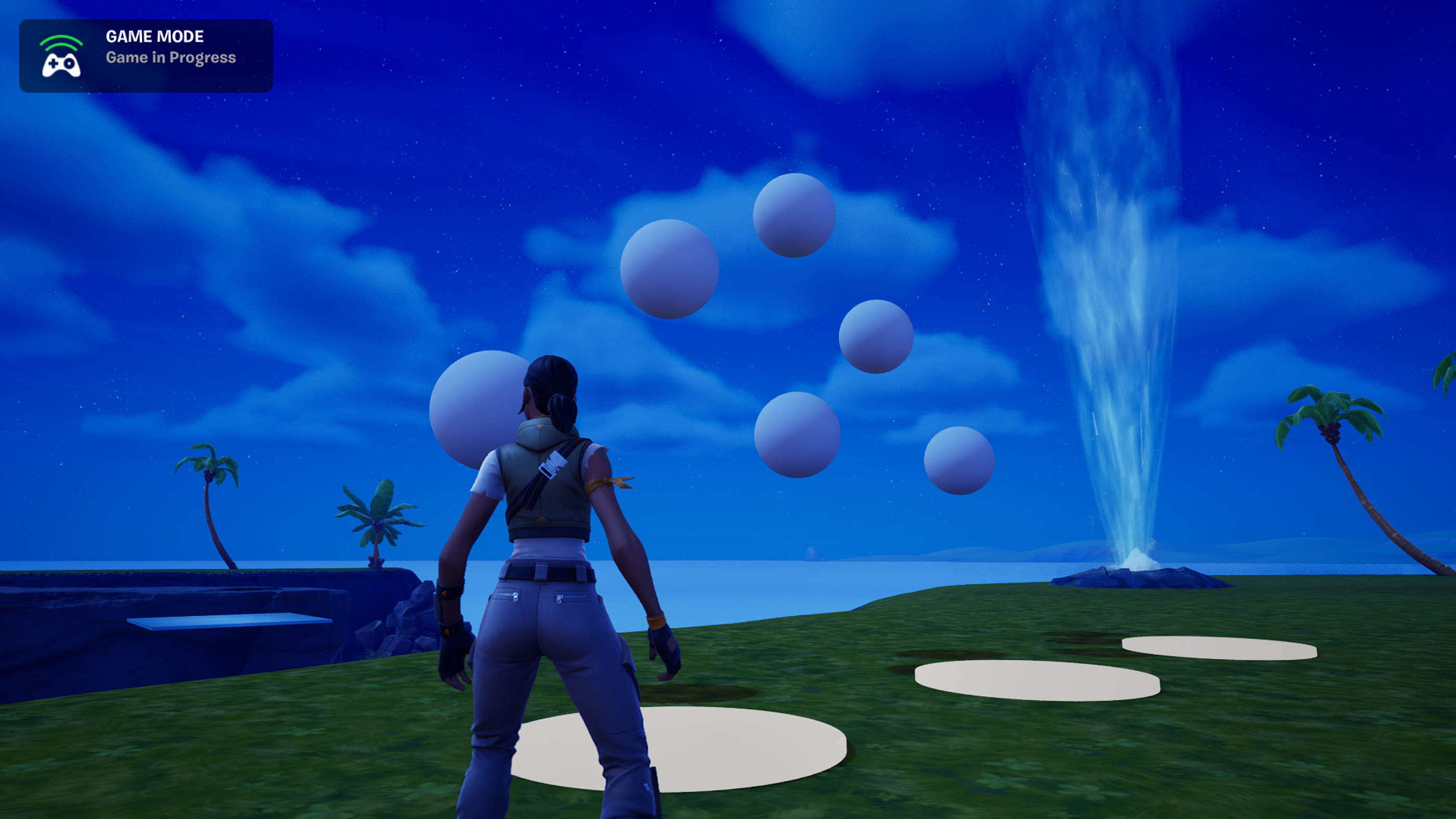
The pedestals on the ground trigger the lights in the sky.

When the player steps on the pedestal, the trigger_component triggers the two lights farthest to the right.

You're reading a preview

The full reference is free for BrainDeadGuild Discord members — sign in to read it all, or open the original at the source.

Sign in with Discord — free for members Read the original at Epic Games

Sign in with your BrainDead.TV / BrainDeadGuild Discord account for full access.

Comments

    Sign in to vote, comment, or suggest an edit. Sign in
    📄
    Source
    Epic Games

    © Epic Games. Official Epic developer documentation, shown here as a reference with a link to the original. All rights remain with Epic Games. Terms ↗

    View original Sources & licensing
    Request removal
    Last updated May 12, 2026
    Keep exploring
    More in Materials/VFX · 29 of 211
    Prev
    lights and bridges 02 puzzle component in fortnite
    Next
    lights and bridges 04 construct prefabs in fortnite
    Browse all files in this folder (A–Z)
    Next up
    • This page guides you through creating a new Scene Graph [component
    • Verse Glossary
    • When the player steps off the pedestal and leaves the volume_device, the lights remain in the on state.
    • For more information about the Verse language features used on this page, see:
    • 1. Navigate to the **[Verse Explorer
    • 1. Include the following modules:
    Related topics
    • Lights And Bridges 01 Triggerable Interface And Scene Events In Fortnite Materials/Vfx
    • Lights And Bridges Puzzle In Fortnite Materials/Vfx
    • Lights And Bridges 02 Puzzle Component In Fortnite Materials/Vfx
    • 34 30 Fortnite Ecosystem Updates And Release Notes Release Notes
    • component Scene Graph

    Related

    Open in graph →

    Linked docs

    • Verse Glossary

    Related topics

    • Lights And Bridges 01 Triggerable Interface And Scene Events In Fortnite
    • Lights And Bridges Puzzle In Fortnite
    • Lights And Bridges 02 Puzzle Component In Fortnite
    • 34 30 Fortnite Ecosystem Updates And Release Notes
    VerseIsland · an archipelago of Verse & UEFN knowledge
    🗺️ Island atlas Learn Guides History About & Press Sources & Licensing Status

    Not affiliated with Epic Games. Fortnite, UEFN, Unreal Engine, and Verse are trademarks of Epic Games, Inc. Content is attributed to its source — see Sources & Licensing.

    🦜

    Scout · your island guide

    The Isle of Verse