
Build a Physics Puzzle Dungeon
Follow this tutorial to build a puzzle room that uses the new experimental Physics feature. The object of this puzzle room is to clear the gap in the room and reach the exit. You can make this more complex, or even expand on it to create an entire puzzle dungeon.
Setup Your Project
Follow these steps to set up your project, enable Physics, and customize Island Settings.
-
Open UEFN and create a project from any island template. The Blank template is recommended if you want to ensure a flat area to work with.
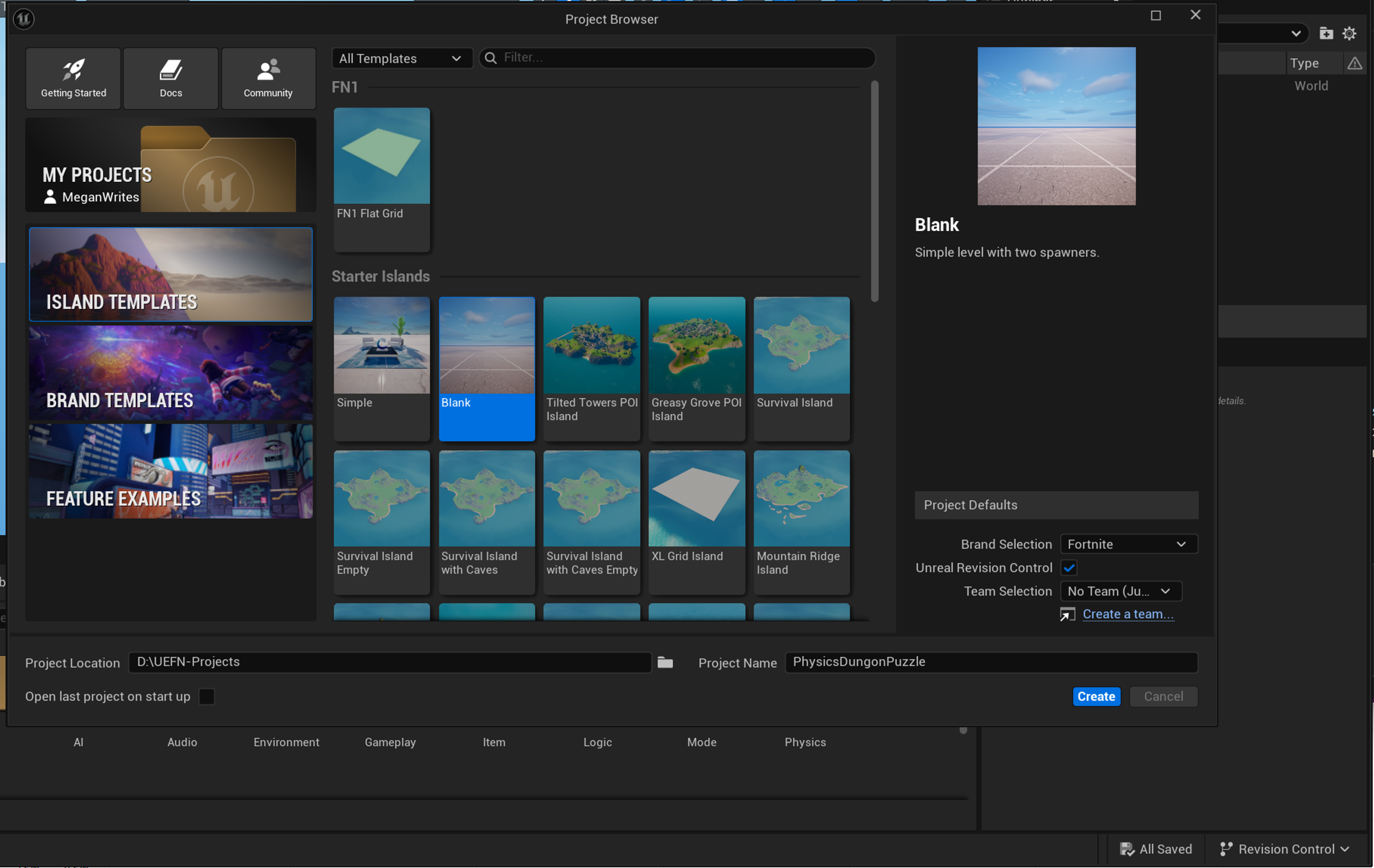
Create a new project
-
From the tool bar, click Project and select Project Settings.
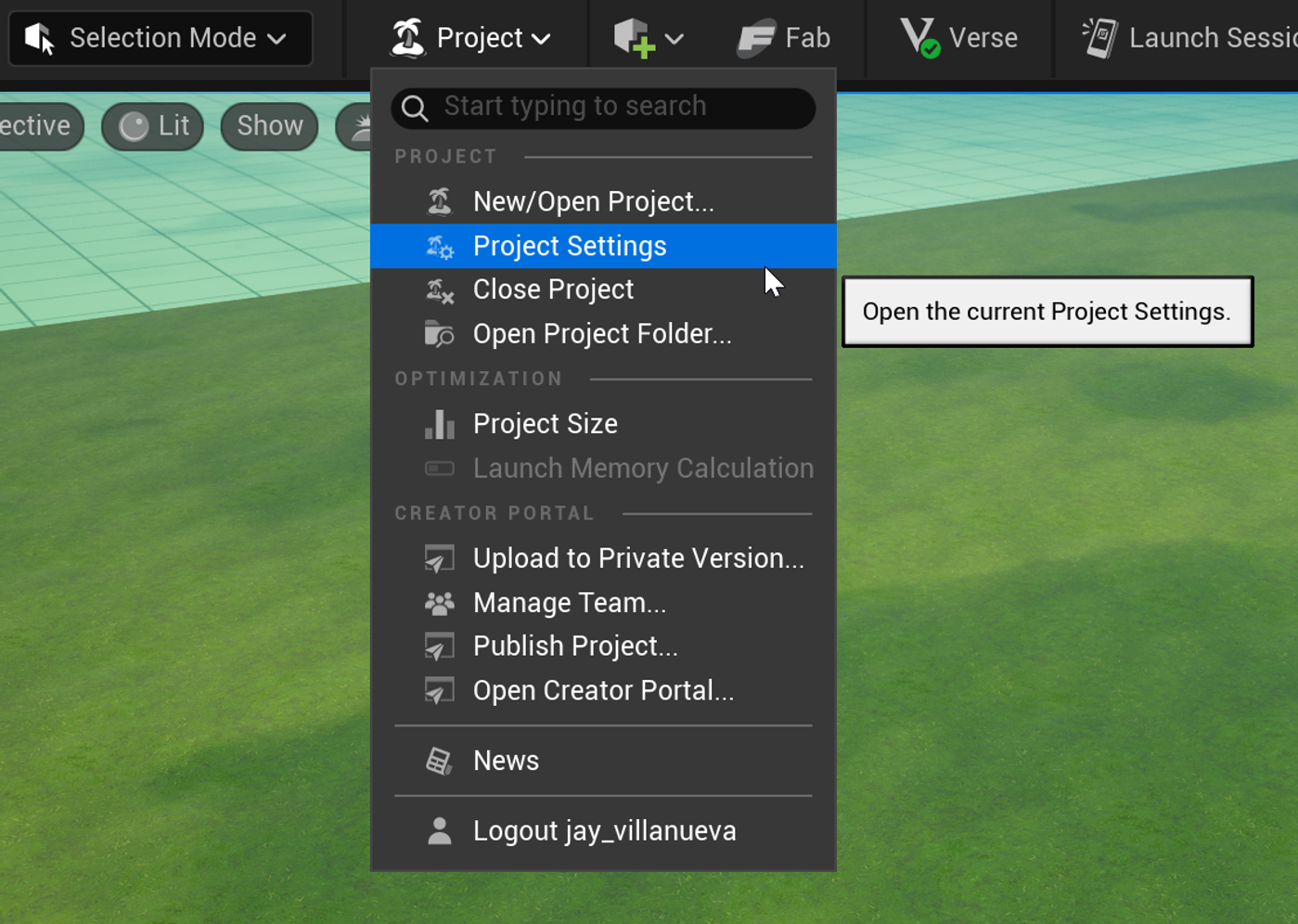
Open Project Settings
-
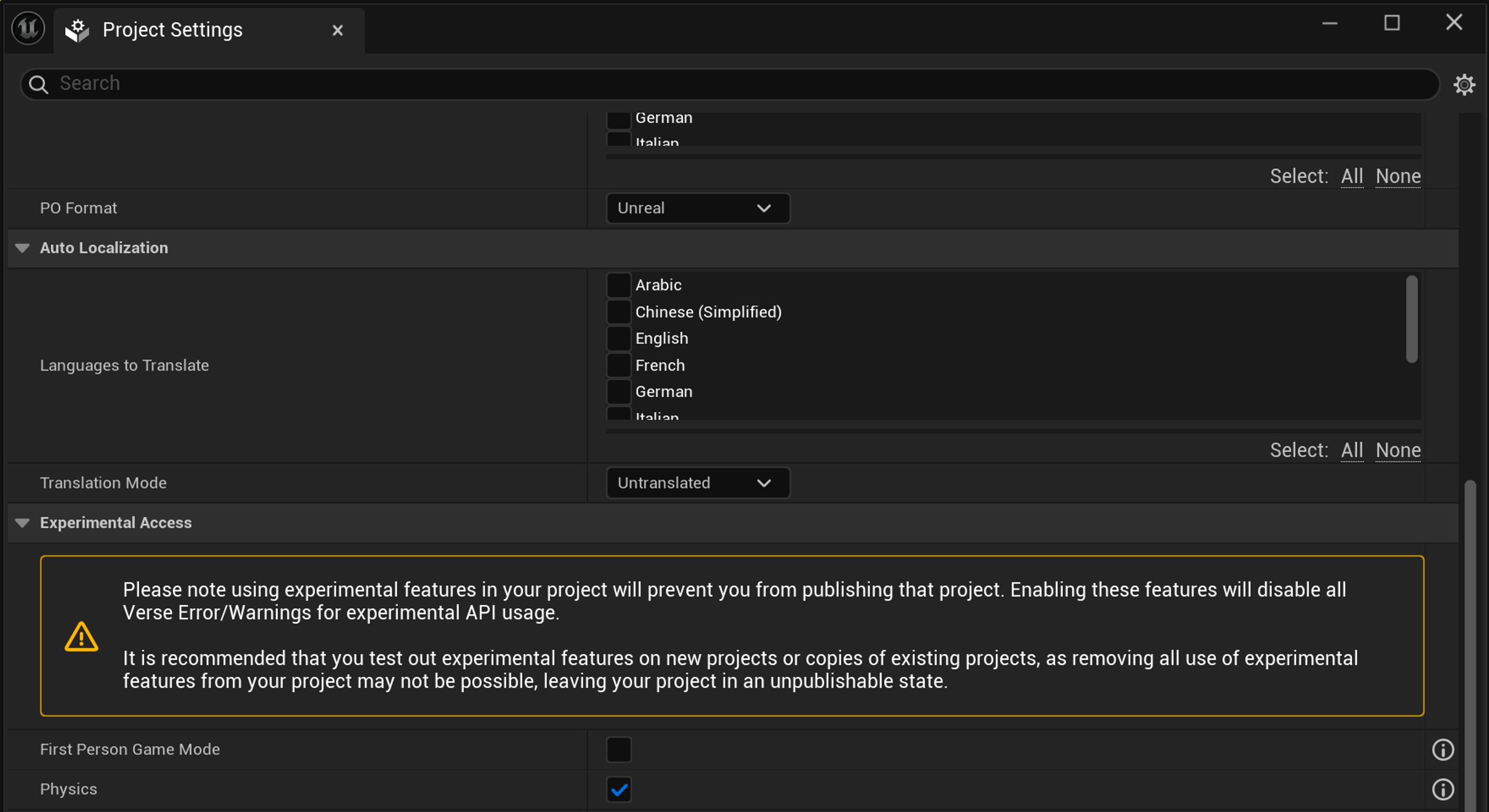
Scroll down to the Experimental Access section, and check the box for Physics.
You're reading a preview
The full reference is free for BrainDeadGuild Discord members — sign in to read it all, or open the original at the source.
Sign in with your BrainDead.TV / BrainDeadGuild Discord account for full access.