
Trigger Device Design Examples
Trigger devices are useful for triggering other devices, and can be activated by players, vehicles, or other devices.
Make an Automatic Door
When you combine a Trigger device with a Lock device, you have an easy way to set up a door that automatically opens and closes.
Devices Used
- 2 x Trigger devices
- 1 x Player Spawner device
- 1 x Lock device
Set Up the Devices
-
Place the Art Deco Bank prefab.
-
Place a Player Spawner device in front of the front door.
-
Place a Lock device on the door panel. Make sure the light on the lock is blue — this indicates that it is successfully connected to the door.
-
Place a Trigger device in front of the door, and change the size to make sure it is wide enough to cover the entire ground in front of the double doors.
-
Customize the trigger so that it isn't visible in the game.
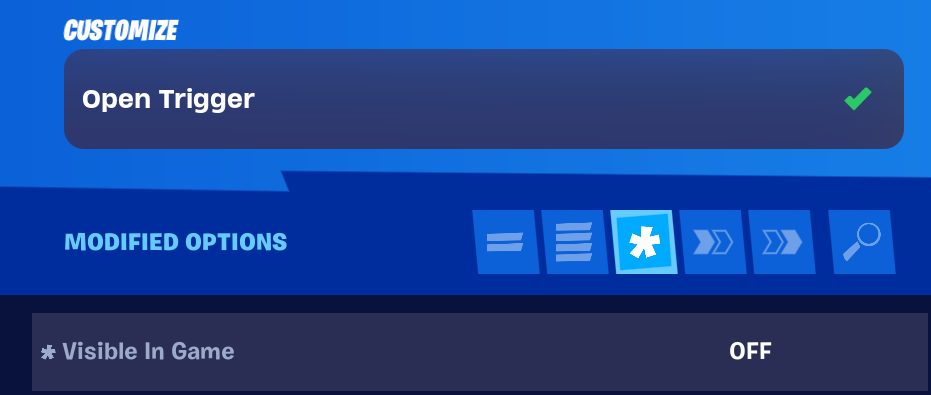
-
Place a second Trigger device away from the building. This trigger will close the door again after it is opened.
-
Customize the second trigger.
You're reading a preview
The full reference is free for BrainDeadGuild Discord members — sign in to read it all, or open the original at the source.
Sign in with your BrainDead.TV / BrainDeadGuild Discord account for full access.