
Create A New UEFN Project
This section will show you how to create a new project and start creating the gameplay.
- Open UEFN and create a new empty project.
- Select the IslandSettings device in the Outliner and locate User Options - Game Rules.
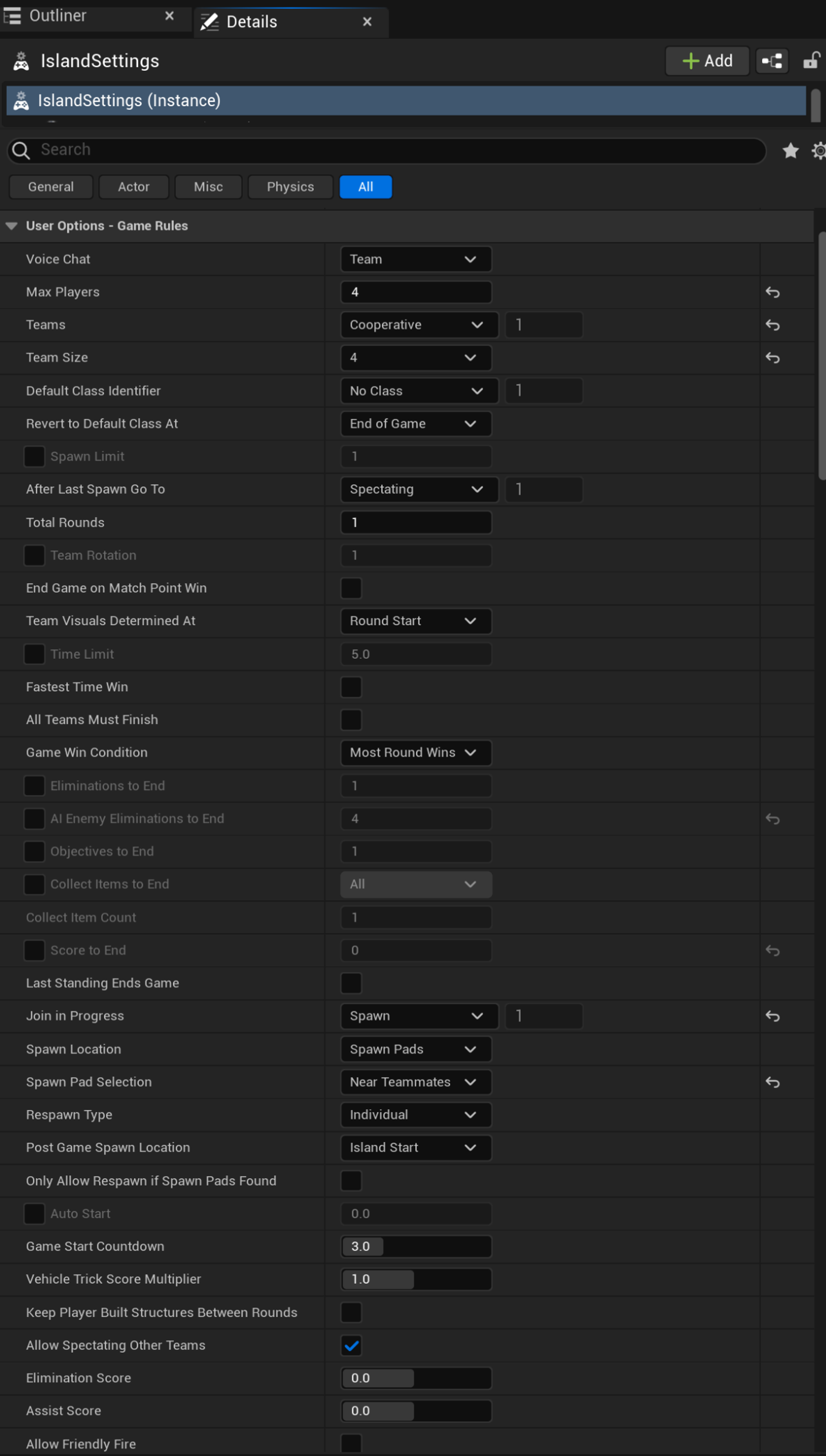
- Modify the User Options as shown below.
Use the Search bar to locate each setting faster.
| Option | Value | Explanation |
|---|---|---|
| Max Players | 4 | There will be a maximum of four players. |
| Teams | Cooperative | This will be a cooperative game. |
| Team Size | 4 | The team size will be four. |
| Spawn Pad Selection | Near Teammates | Players will spawn near each other. |
| Auto Start | False | The game will wait to start until manually activated. |
| Game Start Countdown | 3 | The game will start after three seconds. |
| Harvest Style | Creative | The Creative values are used for resource gathering during the game. |
| Allow Building | None | Players will not be allowed to build during the game. |
| Environment Damage | Off | Players will not be allowed to destroy the environment. |
| Structure Damage | None | Players will not be allowed to destroy structures. |
| Respawn Time | 5.0 | Players will respawn after five seconds. |
| Jump Fatigue | True | Continuous jumping will apply a penalty to jump height. |
| Glider Redeploy | True | Players will be able to freely deploy their gliders without the use of items. |
| Flight Speed | 1.0x | There will be a movement multiplier of 1 when flying. |
| Game Winner Display Time | 3.0 | The overall game winner’s name will be shown at the end of the game for 3 seconds. |
| Game Score Display Time | 15.0 | The final scoreboard will be shown at the end of the game for 15 seconds. |
| Round Winner Display Time | 3.0 | The round winner’s name will be shown at the end of the round for 3 seconds. |
| Round Score Display Time | 15.0 | The scoreboard will be shown at the end of the round for 15 seconds. |
| HUD Info Type | True | AI enemy elimination will be tracked in the HUD. |
| Map Screen Display | Overview Map | The overview map will display when a player presses the Map key. |
| Game End Callout | Cooperative | Shows everyone the same end screen and uses the Victory Sound. |
| Victory Sound | Success 1 | Determines what sound to play when players win the game. |
You're reading a preview
The full reference is free for BrainDeadGuild Discord members — sign in to read it all, or open the original at the source.
Sign in with your BrainDead.TV / BrainDeadGuild Discord account for full access.